It’s 4:37 p.m. on a Wednesday. A warm demo request is sitting in one rep’s inbox, another lead is waiting for a callback, and someone just typed “I’ll follow up tomorrow” in Slack for the third time this week. Tomorrow, of course, is where good leads sometimes go to disappear. Not exactly ideal.
That’s the kind of small sales headache Close.com is built to reduce. Close is a sales-focused CRM that brings pipeline management, calling, email, SMS, workflows, reporting, integrations, and AI-assisted sales tools into one workspace. Instead of treating the CRM like a place where data goes to nap, Close is designed for teams that want to work leads directly from the system.
This guide is for small sales teams, founder-led B2B companies, agencies, consultants, and outbound-heavy businesses deciding whether Close CRM belongs on their shortlist. It’s based on current public product and pricing information plus practical CRM buying criteria, not a private software lab review.
Quick Take
- Best fit: daily calls, emails, texts, and follow-ups.
- Check first: limits, AI credits, calling, SMS, and integrations.
- Compare if: you mainly need contact storage or marketing automation.
Bottom line: Close is worth considering if your team needs a sales workspace for active follow-up. It’s probably too much tool if you only need a simple contact list and occasional notes.
The Real Decision: Sales Workspace or Contact Database?
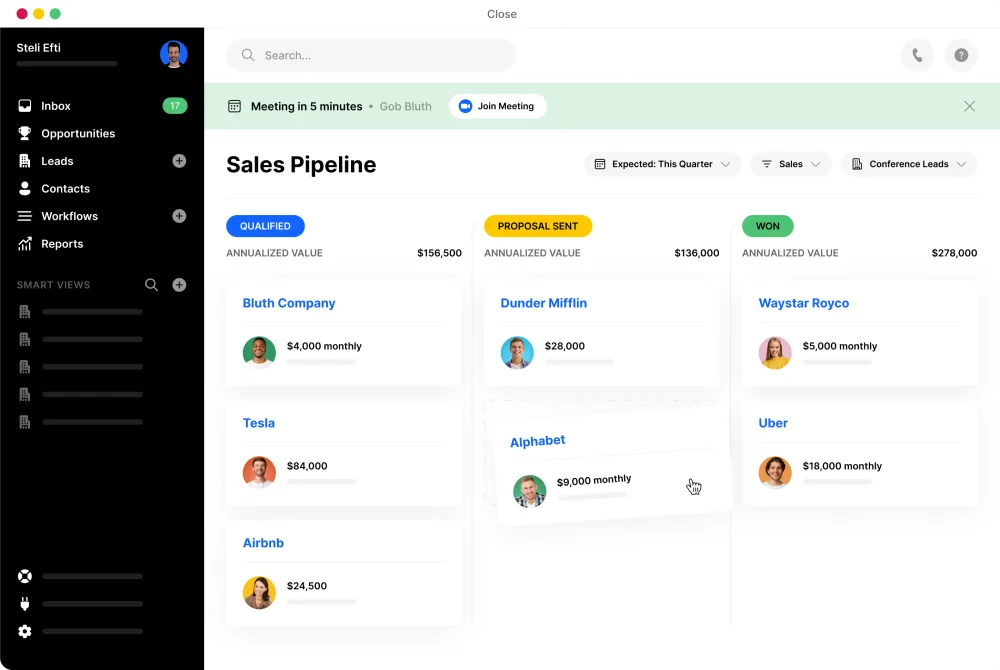
The Close CRM decision usually comes down to one question: do you need a place where reps take action, or just a database where records live?
A cheaper CRM can look appealing until your team adds separate tools for calling, email sequences, SMS, reporting, and automation. Suddenly the “simple” setup has five logins, three invoices, and one shared password nobody wants to admit exists.
Close makes the most sense when your sales motion depends on speed and consistency. Think demo requests, outbound prospecting, follow-up reminders, call notes, pipeline stages, and manager visibility. If your team wins deals through repeated conversations, built-in communication tools may matter more than a huge menu of features nobody opens.
What Close Is Really Solving
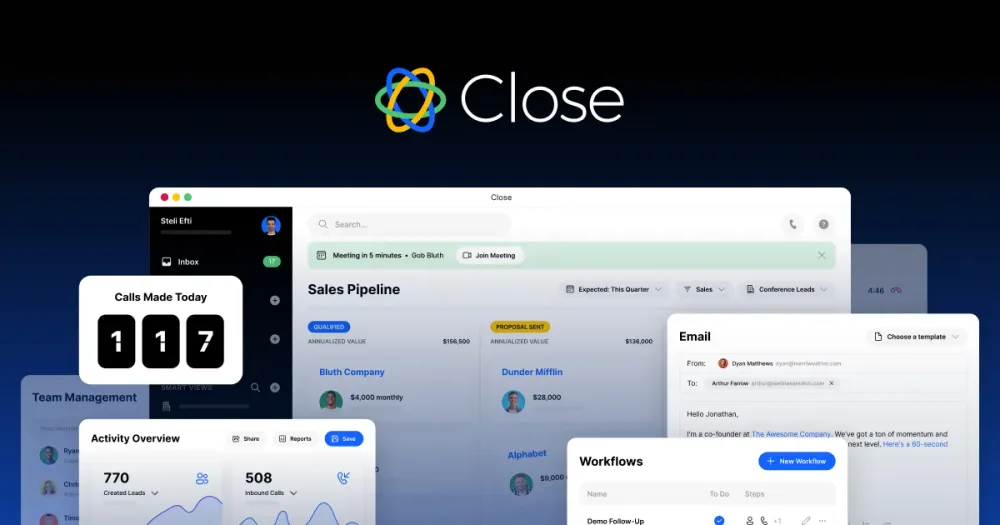
Close is designed for teams that sell through conversations. Its current product pages list sales communication, built-in calling, email, SMS, workflows, lead and pipeline management, reporting, integrations, and Chloe, its AI sales agent.
Here are a few everyday sales moments where that can matter:
- A demo request arrives while your rep is already on a call, and someone needs to respond before the lead cools off.
- A founder checks the pipeline at 9:42 p.m. and spots deals untouched for six days. The coffee is cold. The stress is not.
- A sales manager opens Slack, sees three “on it” replies, and still can’t tell whether anyone actually called the prospect.
- A rep finishes a call from a noisy coffee shop and needs the note, next task, and follow-up email tied to the right deal before the details vanish.
The value isn’t only the feature list. It’s reducing the number of places a salesperson has to check before taking the next step.
If that sounds like your sales workflow, the next sensible step is to compare Close’s current plans before you commit.
Close CRM Decision Table
Use this quick table to decide whether Close belongs on your shortlist or whether another CRM category may fit better.
| Sales situation | Close may fit | Compare if |
|---|---|---|
| Outbound-heavy team | Daily calls and emails | Rare outreach needs |
| Founder-led sales | Speed and visibility | Mostly warm referrals |
| Small agency team | Structured client follow-up | Project management matters |
| B2B SaaS team | Demos and pipelines | Enterprise setup needed |
| Solo sales operator | Weekly active selling | Basic contacts only |
Who Close Is Best For
Close is most compelling for teams that want the CRM to be the sales desk, not a dusty filing cabinet.
- Small B2B sales teams: Especially teams selling demos, consultations, subscriptions, services, or higher-consideration offers.
- Founder-led companies: Helpful when the founder still wants pipeline visibility without babysitting every follow-up.
- Outbound sales teams: A stronger fit when calling and email are daily habits, not occasional chores.
- Teams replacing tool sprawl: Close may reduce the need for separate CRM, dialer, email outreach, and reporting tools.
- Sales managers who coach reps: Communication records can make coaching conversations more specific.
For example, a three-person SaaS sales team getting 40 demo requests a week probably cares more about response speed, call notes, reminders, and clear deal stages than 90 dashboard widgets nobody opens.
Who Should Skip It or Compare Alternatives
Close isn’t right for every business, and pretending otherwise would be affiliate nonsense with a nice haircut.
- Skip it if you only need contact storage. A simpler CRM may be enough for low-volume relationship tracking.
- Compare marketing-first platforms if funnels matter most. If landing pages, newsletters, lead scoring, and nurture campaigns are the priority, look beyond sales-first CRMs.
- Compare enterprise CRMs if customization is the priority. Larger teams may need layered permissions, complex objects, and multi-department reporting.
- Be cautious if your team hates process. No CRM fixes a culture where reps refuse to log activity or follow a pipeline. Software can help; it can’t perform a personality transplant.
Current Plan Snapshot
As of June 27, 2026, Close’s public pricing page lists Solo, Essentials, Growth, and Scale plans. Prices and included features can change, so treat this as a planning snapshot and verify the latest details before subscribing.
| Plan name | Monthly price | Best start |
|---|---|---|
| Solo plan | $19 per user | Solo sellers |
| Essentials plan | $49 per user | Small teams |
| Growth plan | $109 per user | Automation needs |
| Scale plan | $149 per user | Advanced controls |
The annual prices shown on the same page are lower, but don’t choose annual billing just because the savings look tempting. First confirm that the plan includes the features your team will actually use: leads, users, workflows, dialer options, AI credits, permissions, call coaching, SMS, integrations, and reporting.
How to Choose the Right Close Plan
Start with your workflow, not the fanciest tier name. The most advanced automation plan won’t help much if your real problem is that nobody calls leads back within the first hour.
- If you’re solo: Check lead limits, calling needs, email sync, and whether one user is enough.
- If you have a small team: Look at collaboration, shared visibility, inbox/task management, and unlimited lead needs.
- If you rely on automation: Review workflow availability, bulk email, dialer features, and AI credit limits.
- If you manage reps: Pay attention to permissions, reporting, call coaching, and activity visibility.
Before choosing, count your real sales actions: calls per rep, emails per lead, follow-up reminders, SMS touches, handoffs, and reporting needs. Your future self will thank you.
Once you know your must-have features, use Close’s current plan page to confirm pricing, billing terms, trial details, and feature availability.
Flaws but Not Dealbreakers
No CRM is magic. Close has useful strengths, but these trade-offs are worth thinking through before you move your sales operation.
- It may be more sales-focused than you need. If your workflow is mostly relationship management, Close can feel like too much machine for a small road.
- Plan differences matter. Workflows, dialer options, permissions, AI credits, and advanced controls vary by tier.
- Migration takes effort. Moving from spreadsheets or another CRM means cleaning fields, importing data, mapping pipelines, and training users. Bring snacks.
- AI features need review. AI-assisted calling, summaries, or follow-ups can be useful, but your team should review accuracy, compliance needs, brand tone, and customer expectations.
- Communication rules can vary. Calling, SMS, phone numbers, regional limits, and usage costs should be checked for your location and sales process.
These aren’t automatic dealbreakers. They’re the normal “read the label before you pour it into the engine” checks that keep a CRM purchase from turning into an expensive shrug.
Common Buying Mistakes to Avoid
- Choosing by feature list alone. A long feature list doesn’t matter if it doesn’t match your sales motion.
- Ignoring adoption. If reps won’t use the system daily, even a strong CRM becomes another tab collecting digital dust.
- Forgetting data cleanup. Importing messy contacts creates messy reporting. Clean duplicate leads, outdated stages, and junk fields first.
- Not checking the pipeline view. Your stages should match how deals actually move, not how they looked in last year’s strategy deck.
- Underestimating integrations. Check Gmail, Outlook, calendar, support tools, marketing tools, Zapier, API access, and anything else your team depends on.
Don’t forget the boring stuff. It’s usually where CRM regret hides.
Close vs. Alternative CRM Types
If you’re comparing Close against other CRMs, start with categories. That keeps the decision clearer than bouncing between ten browser tabs and slowly losing the will to live.
| CRM type | Best for | Watch out |
|---|---|---|
| Sales CRM | Calls, email, SMS | Sales-heavy setup |
| Simple CRM | Notes and contacts | Limited outreach tools |
| Marketing CRM | Funnels and campaigns | Sales add-ons needed |
| Enterprise CRM | Complex team needs | Longer setup time |
A boutique consulting firm with mostly warm referrals may prefer a simpler CRM. A SaaS startup booking demos from inbound and outbound channels may get more value from Close. A 300-person sales organization with several departments should compare enterprise-level systems too.
Questions to Answer Before Starting
Before you start a trial or move data, answer these with your team:
- How many users need access now, and how many might need it in six months?
- Do reps need built-in calling, SMS, email, and sequences, or only some of those?
- Which current tools could Close replace, and which must stay?
- What data needs to be imported, cleaned, or archived?
- Who owns setup, pipeline design, permissions, and training?
- What would make the first 30 days a win: faster response, more calls, cleaner reporting, or fewer missed follow-ups?
Picture the first trial day: one rep imports a messy CSV, another connects email, and the founder asks whether the pipeline finally shows what’s real. That’s the moment to test the workflow, not just admire the dashboard.
If your checklist points toward a sales-first CRM, it’s reasonable to review the current Close trial, plan, and feature details before making a final call.
FAQ
Is Close CRM worth it for a small sales team?
It can be worth it if your team actively sells through calls, emails, SMS, demos, and follow-ups. If you only need a basic contact database, a simpler CRM may be more cost-effective.
How much does Close.com cost?
As of June 27, 2026, Close lists monthly plan prices from $19 to $149 per user, with lower annual prices shown on its pricing page. Check the latest pricing, plan limits, AI credit details, and billing terms before subscribing.
Does Close replace a dialer and email outreach tool?
For some teams, yes. Close includes built-in sales communication features. Still, confirm current calling, email, SMS, workflow, and usage details against your team’s volume, region, and compliance needs.
Is Close better than HubSpot, Pipedrive, or Salesforce?
It depends on your workflow. Close may appeal to action-heavy sales teams that want built-in communication. HubSpot may suit marketing-led teams, Pipedrive may suit visual pipeline users, and Salesforce may suit larger organizations needing deep customization.
Does Close have AI features?
Yes, Close currently promotes Chloe and other AI-assisted sales features. Review the latest feature descriptions, credit limits, and plan availability before assuming a specific AI capability is included.
What should I check during a Close trial?
Check lead import, pipeline setup, calling, email sync, follow-up tasks, reporting, integrations, mobile or remote workflows, and whether reps can complete daily work without jumping between too many tools.
Can Close work for solo founders?
Yes, it may fit solo founders who sell actively and need structured follow-up. If your sales activity is occasional or relationship-only, compare simpler and lower-maintenance options first.
Final Recommendation
Close is a strong candidate for small teams that want a CRM built around sales action: calling leads, sending follow-ups, managing deals, and keeping communication tied to the pipeline. It’s especially worth considering if your current system includes a spreadsheet, a separate dialer, a scattered inbox, and a weekly “who followed up with this lead?” mystery.
It’s less compelling for businesses that only need light contact management, broad marketing automation, or enterprise-level customization. In those cases, compare alternatives before committing.
If Close matches your sales motion, review the current plans, trial details, feature limits, and billing terms so you can choose with fewer surprises.
Affiliate disclosure: BiggirlinBusiness may earn a commission if you click our link and sign up, at no extra cost to you.